A thousand failed attempts are routine. The one success afterwards isn’t.
Brute-force attacks on SSH and WordPress hit every server non-stop. tyrosec counts them instead of bothering you with them – and raises the alarm when someone logs in successfully during or after a wave.
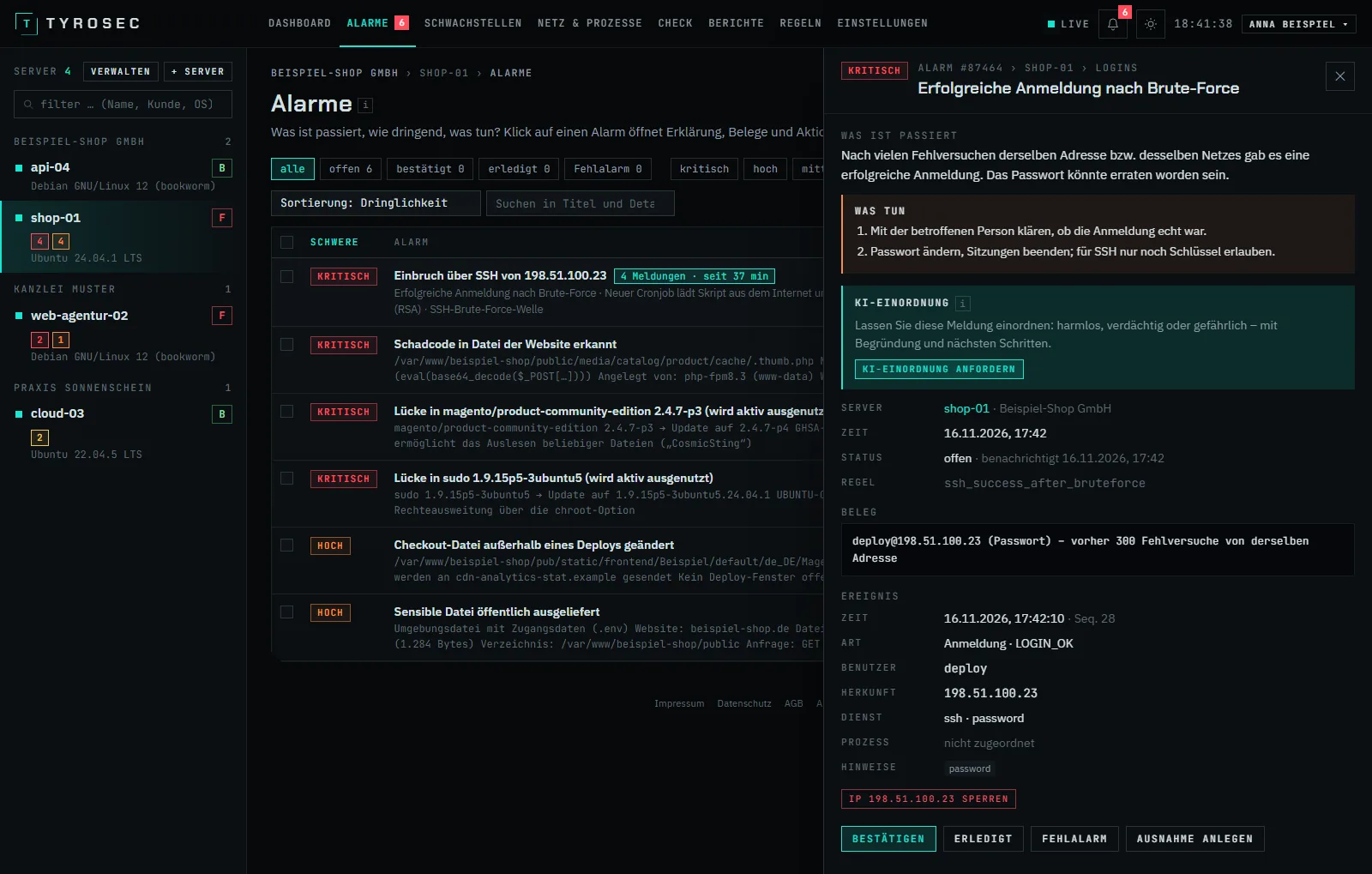
The dangerous login looks like any other.
auth.log contains thousands of failed logins every day. Somewhere in between there’s a successful one – with a guessed password or a stolen key. Nobody reads the log that closely, and while fail2ban blocks attackers, it doesn’t report a success.
Even more inconspicuous is a newly added SSH key: from now on, the attacker comes back without a password.
Understand login chains.
tyrosec analyzes logins to SSH and web applications and detects patterns over time: a wave of failed attempts followed by a success from the same source; a password login where normally only keys are used; a login with a previously unknown key; a login from an IP on blocklists or the shared threat list.
Failed attempts themselves appear as statistics. What gets reported is what requires a decision – with key fingerprint, source and history.
What tyrosec reports on logins
- Success after brute forceSuccessful login from a source that had many failed attempts shortly before.
- Login during a wavePassword login while the server is under heavy attack.
- Unknown SSH keyLogin with a key whose fingerprint is new on this server.
- Root and password loginsDirect root logins and password-based logins are made visible.
- Known attacker IPsLogins from IPs on public blocklists or the tyrosec threat list.
- Unusually many loginsDeviations from the server’s learned baselines.
One IP – everything on one page
- Across all serversFailed attempts, successful logins and scanner requests from this address on all your servers, with the time range per server.
- Alerts and trial runAll alerts for the IP and what tyrosec would have done automatically – including an assessment of whether the block would have been right.
- Blocklists and threat listWhether the address is on public blocklists or on the shared tyrosec threat list.
- Country and network operatorOrigin and network (ASN) of the address, determined without an external service from DB-IP.com data.
- AllowlistPut your office, monitoring or partners on the allowlist – these addresses are never blocked.
- Act directlyWith the Pro plan, you block the address from here on any server where “block IP” is enabled.
Logins FAQ
Does tyrosec replace fail2ban?
Not quite yet. With tyrosec Pro you block brute-force sources in the server firewall with one click – time-limited and traceable. Automatic blocking runs as a trial run: tyrosec shows which IPs it would have blocked and whether any of them later logged in legitimately. Until automatic execution is released, simply keep running fail2ban. For a detailed comparison see fail2ban vs CrowdSec vs tyrosec.
Which services are analyzed?
SSH as well as web logins identifiable in the access logs, especially WordPress (wp-login, xmlrpc).
More features
See what’s happening on your server in two minutes.
Install the agent with a one-liner, wait for the initial scan, done. 14 days free, up to 3 servers, no credit card required.