Linux security for agencies, hosters and shops – with client reports.
tyrosec detects attacks on your servers and websites in real time, explains every alert in plain language and delivers ready-made reports for your clients. Restoring a file, quarantining or blocking an IP takes one click.
14 days free · up to 3 servers · no credit card · Hosted in Germany
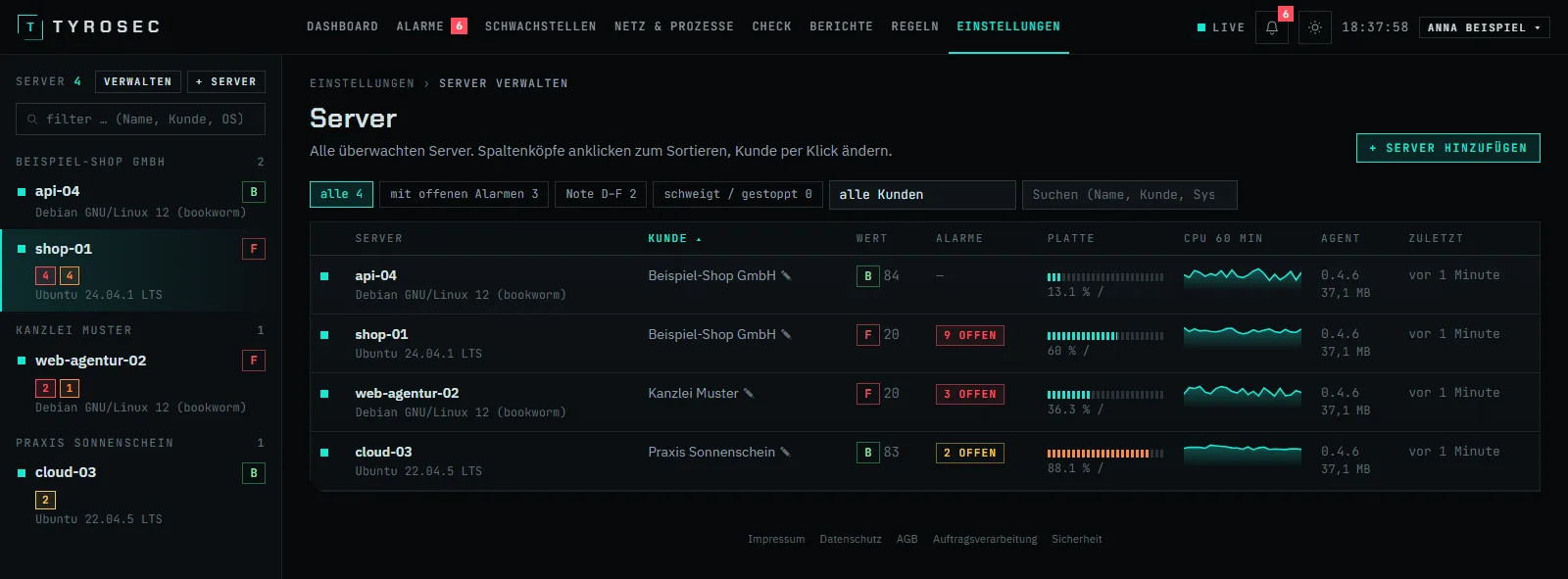
Intrusions go unnoticed for weeks.
An outdated plugin, a guessed password, a flaw in a library – and suddenly there’s a webshell in the uploads folder, a skimmer in the checkout or a crypto miner running in the background. Most operators only find out when Google shows a warning, the hosting provider suspends the server or customers complain about stolen credit cards.
Traditional tools only get you halfway: plugin scanners only see WordPress, log collectors deliver thousands of lines without context, and open-source IDS take days to set up and mostly produce one thing: alerts nobody reads anymore.
tyrosec sees everything – and explains it.
A lightweight agent watches files, processes, network and logins in real time. Every change is stored with a diff and the previous version, and every alert comes with a clear explanation and a concrete recommendation.
Instead of an alert flood, tyrosec groups related alerts into incidents, learns your baselines and closes resolved situations on its own. And when things get serious, you restore the clean file, block the attacker or roll back the entire website – with one click.
The threat landscape – live from our servers.
.env and .gitMost attacks came from: United States 18 %, China 12 %, Netherlands 6 %, India 6 %, Belgium 5 %.
Most requested: /.env, /.htpasswd, /server-status, /.env.production, /.env.local.
Anonymous totals across all servers monitored by tyrosec, last 8 days, as of 2026-11-23 – updated daily. No IP addresses, servers or customers. Countries: DB-IP.com.
Everything a server admin needs – in one tool.
Sixteen building blocks, one agent, one interface. Each feature has its own page explaining the problem it solves and how tyrosec tackles it.
Spots what others miss.
- Regular outbound contactsIf a program checks in with the same foreign address at regular intervals, it may be malware talking to its command server. tyrosec finds such patterns – with domain and network operator.
- Decoys for intrudersA decoy file with fake credentials or a secret address on your website: nobody legitimate touches them. Whoever does is very likely already on the server.
- Comparison with official packagesSystem programs are compared against the distribution's signed package lists. Swapped programs stand out even if the local package database has been forged.
- Malware rules on writeThe agent checks new and changed files with a curated, signed pack of YARA rules.
- One IP, all serversWhat did this address try on your servers? Logins, scanner requests, alerts, blocklists, country and network operator on one page.
- Trial run first, then automationFor every countermeasure, tyrosec first shows what it would have done – with reason and source. So you know in advance whether you can trust the automation.
- Knows your applicationsThe agent detects WordPress, WooCommerce, Magento, Shopware, PrestaShop, JTL-Shop, Laravel, Symfony, TYPO3, Contao, Joomla, Drupal, Nextcloud, Next.js and Nuxt, including version and plugins. That drives hardening checks, end-of-support tracking and matching rules: PHP in a media folder is an alert, cache folders stay quiet.
- Composer packages against the originalAll packages under
vendor/are compared with the original from Packagist – after every change tocomposer.lockand weekly otherwise. Foreign code in the Composer autoloader stands out too.
Up and running in two minutes.
- 01Sign upCreate an account and your trial starts immediately – no credit card required.
- 02Run the one-liner
curl … | shinstalls the signed agent and registers the server. - 03Initial scantyrosec inventories files, packages, services, websites and applications such as WordPress, Shopware or Laravel and checks the server for signs of compromise.
- 04Sleep wellFrom now on, tyrosec only alerts you to what really matters – explained, prioritized and with a fix.
Built for everyday life on real servers.
What tyrosec does differently.
| Plugin scanner | Traditional IDS / FIM | tyrosec | |
|---|---|---|---|
| Sees the whole server | website only | yes | yes – files, processes, network, logins, containers |
| Shows what changed | file “suspicious” | checksum changed | diff with previous version, process and user |
| Context | signature match | raw data | explanation, severity, “what to do”, optional AI |
| Prioritized vulnerabilities | plugins only | no | OS, WordPress, Composer, npm, shop plugins – by KEV/EPSS, with end of support |
| Response | delete file | no | restore, quarantine, block, clean, roll back |
| Effort | low | high | one-liner, no rule maintenance |
Frequently asked questions
Who is tyrosec for?
For agencies, hosting providers, freelancers and shop operators who manage their own Linux servers or their clients’ servers – typically running WordPress, Shopware, Magento, Laravel, Nextcloud or custom applications. You don’t need a security team: tyrosec explains every alert in plain language.
How much load does the agent create?
Very little. Measured across all servers monitored by tyrosec, the agent uses a median of 37 MB of memory and, on a typical 4-core web server, about 0.75% of one core on average. Instead of scanning constantly, it uses the kernel’s event interfaces and only writes when something changes. All measurements and limits: The agent: what it may do – and what it may not.
Are my files transferred to tyrosec?
For diffs, changed text files are transferred – encrypted and stored with a separate key per customer. Passwords, keys and tokens in configuration files are masked on the server itself. Anything you don’t want monitored can be excluded with a rule.
What happens after the trial?
Nothing automatically. The trial ends after 14 days; if you want to continue, choose a plan. Otherwise your data is deleted after the contract ends.
Can tyrosec take action on my server on its own?
Today only when you click – and only if you have explicitly enabled that type of action on the server (tyrosecd actions enable). The agent knows a fixed list of signed actions such as restore, quarantine or block IP; arbitrary commands are ruled out. Automatic measures run as a trial run: tyrosec shows what it would have done, without intervening. Automatic execution is being released step by step; after that, you switch it on yourself per server and per measure.
Do I need Linux skills?
Installation is a one-liner. After that, the “What needs doing?” list tells you in plain language what matters – with commands to copy. If you want to go deeper, switch to the expert view.
Do I have to open ports on my server?
No. The agent establishes the connection itself – outbound only, via port 443, encrypted and mutually authenticated.
See what’s happening on your server in two minutes.
Install the agent with a one-liner, wait for the initial scan, done. 14 days free, up to 3 servers, no credit card required.